By Darrell Talastas, Drail Diagnostics, ChatGPT
AI does not diagnose the vehicle. I do.
It does not connect the scan tool, test a circuit, capture a waveform, inspect a component, or drive the vehicle. I use AI to organize information, develop a logical testing direction, evaluate the evidence I collect, and turn rough notes into clear documentation.
It is not a replacement for technician knowledge or service information. It is another tool in my diagnostic workflow.
One Conversation for Each Vehicle
I create a dedicated ChatGPT conversation for each vehicle. I start with the customer concern, vehicle information, pre-scan report, and any relevant service information.
As the diagnosis progresses, I add:
Trouble codes and scan data
Wiring diagrams and system descriptions
Voltage, resistance, current, and pressure measurements
Scope captures and NVH recordings
Alignment and ADAS measurements
Photographs and screenshots
Known-good reference information
Road-test observations
Repair and post-repair verification results
This creates a timeline of the entire diagnosis instead of leaving information scattered across notes, screenshots, scan reports, and different devices.
Using AI as a Diagnostic Notebook
While I am testing, I enter observations and measurements as rough notes. I specifically tell ChatGPT to hold off on writing a conclusion until I am finished.
That prevents the first clue from becoming the diagnosis before enough evidence has been collected.
When I am ready, I can ask AI to organize the information, show how the results may relate, and identify what still needs to be verified. If later testing changes my direction, I add the new information and update the explanation.
This is especially helpful when a reading may have been affected by a breakout box, substituted load, scan-tool command, disconnected component, temperature change, or another part of the test setup.
Organizing Codes and Building a Test Plan
A pre-scan may contain codes from many modules. AI helps separate them into useful categories:
Codes related to the complaint
Codes that may be secondary
History or intermittent codes
Communication or low-voltage codes
Unrelated findings
Codes requiring additional research
It can then help create an initial testing order based on system operation, shared circuits, code status, and available service information.
The purpose is not to ask AI which part to replace. The purpose is to determine which test will provide the most useful evidence.
I still verify the plan against OEM procedures, wiring diagrams, technical service bulletins, and my understanding of the system.
Working With Measurements and Visual Evidence
I enter actual test results along with the conditions under which they were recorded. That may include loaded and unloaded voltages, resistance cold versus hot, commanded and actual data, current measurements, pressure readings, network voltages, alignment angles, or vibration amplitudes.
The test conditions matter as much as the measurement. A circuit can show normal voltage without being able to carry current. A component may test correctly cold but fail after heating up. A history code does not have the same value as a code that immediately returns.
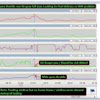
I also use AI to help arrange and explain visual evidence such as:
Known-good and suspect waveforms
Camshaft and crankshaft relationships
Current ramps
Pressure-transducer captures
NVH graphs
Connector and terminal photographs
Component mounting damage
Scan-data screenshots
AI can make differences easier to see and explain, but the comparison must be valid. Channel labels, scaling, time base, operating conditions, and the exact vehicle application still have to be confirmed by the technician.
Researching Service Information
AI can help locate and summarize:
Code definitions
System descriptions
Technical service bulletins
Software updates
Connector and wiring information
Programming requirements
Module configuration
Initialization procedures
Static and dynamic calibration requirements
This saves time when reviewing large amounts of information, but it does not replace the service manual.
Procedures can vary by model year, engine, equipment, and module version. Programming, configuration, initialization, and calibration are different operations. The exact requirements must be verified for the vehicle being serviced.
Turning Notes Into a Repair-Order Write-Up
Once testing is complete, AI converts my field notes into a consistent repair-order format. (I use Tekmetric so I explain in the chat how the RO is organized)
Confirmation of Concern
Documents the complaint, whether it was duplicated, relevant codes, tests performed, and results.
Cause of Concern
States the confirmed cause without adding unsupported assumptions.
Correction and Recommendation
Lists the completed repair or the next required steps in the correct order.
Additional Findings
Keeps unrelated codes, maintenance concerns, and conditions requiring separate diagnosis away from the primary complaint.
One of the biggest benefits is separating confirmed findings from possibilities. A damaged mounting area may need to be repaired before a sensor can be evaluated. Debris may suggest additional wear without proving the cause of an electrical fault. A stored communication code may be worth documenting without being responsible for the current complaint.
The final wording should clearly explain what was proven, what remains unknown, and what should happen next.
Accurately Describing the Inspection
AI also helps prevent the write-up from overstating what was done.
If I only inspected an area visible through an access opening, the documentation should not say that the entire assembly was inspected. If a test could not be completed because the required conditions were unavailable, the write-up should explain that limitation.
The record should clearly state:
What was inspected
What was tested
What passed or failed
What could not be verified
Why additional testing may or may not be needed
This creates a more accurate and defensible repair order.
From Repair Order to Case Study
The same conversation can later become a technical case study containing the complaint, scan results, system operation, test plan, measurements, waveforms, photographs, confirmed cause, repair decision, and verification results.
AI helps organize the material into a logical presentation, but every conclusion remains tied to testing that was physically performed on the vehicle.
What AI Should Not Do
I do not use AI to diagnose a vehicle from a trouble code alone. I also do not allow it to:
Invent tests or results
Turn a possibility into a confirmed failure
Ignore conflicting evidence
Treat every stored code as active
Condemn a module without testing related circuits
Overstate the extent of an inspection
Replace current OEM service information
Make the final repair decision
Any specification, procedure, bulletin, or technical conclusion provided by AI still has to be verified.
The Technician Remains Responsible
The technician must still understand the system, choose the correct test equipment, reproduce the concern, recognize invalid data, verify service information, perform the testing, and make the final recommendation.
AI helps with everything surrounding that work. It turns scattered measurements, screenshots, and observations into an organized diagnostic record that another technician, advisor, or customer can understand.
That is how I use AI in the service bay: not to replace the technician, but to make the technician’s work easier to follow, easier to defend, and more valuable.